Why PDFs Can't Power a Parts-Buying Experience
A PDF can contain the exact information a customer needs and still leave them unable to tell whether it's current, whether it applies to their unit, or where to buy the part. That gap, not the file format, is where buying decisions stall.
LumaRef Team
Content Team · · 6 min read
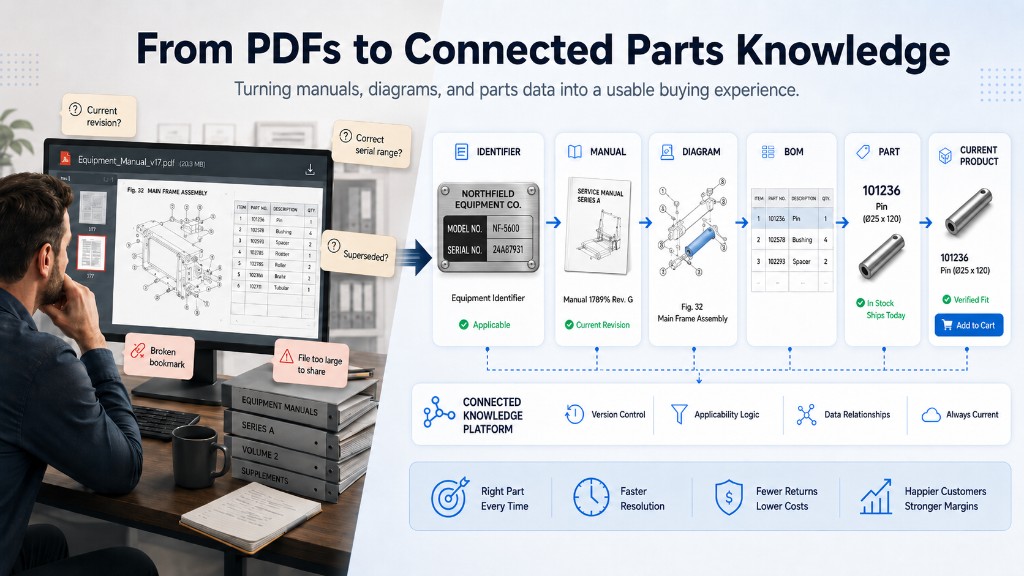
A parts manager pulls up the PDF a customer emailed over — a scanned liftgate manual from a few years back. Before she can answer the question about the switch, she has to answer a different one first: is this the manufacturer's current revision? Even a clean, current-looking manual won't say whether it covers the serial number on the unit in the shop bay, or whether a part number on page 34 has since been superseded.
We've seen smaller versions of the same gap: manuals too large to email, or a bookmarked link that quietly broke because a manufacturer replaced the file at a new URL instead of updating the old one. None of these are failures of the document — they're evidence a PDF was never asked to do this particular job.
A PDF can contain everything a customer needs to know and still give them no reliable way to confirm it's the correct, current answer for the equipment in front of them.
Here's why that gap shows up even with good documentation, and what closing it actually takes.
Applicability is the harder problem
None of this is a knock on the format. A PDF is genuinely good at one job — preserving a document's content and layout so it looks the same on a shop-floor tablet as it did off the printer, this year or a decade ago — which is why manufacturers have relied on it for so long, in print and on screen.
But a manual is still a document, and a customer's question is rarely what
does this say.
It's closer to: what part fits this unit, is that still the
right part, and what do I do next? A part number or diagram can sit right
in front of someone and still leave that open — the model and
configuration, the serial number or range, the production date or model
year, a mid-run supplier change, which manual revision is current, whether
a part has been superseded, or whether several manuals cover different
generations of what looks like the same equipment. That's applicability,
and it's a different problem than search.
Where this actually breaks down
Consider a parts manager fielding a call about a switch on a liftgate a few years old. The manual covers three model years and two supplier changes. The diagram shows item 14, and a table maps it to a part number — but a footnote qualifies that mapping by a serial range the caller doesn't have handy. Confirming the revision, finding the diagram, reading the footnote, and checking whether that part number still ships are all separate lookups. Nothing about the manual connects them; she has to chain them together herself.
A customer self-serving instead of calling hits the same wall: they can usually find a part number, but can't tell whether it's current or orderable — so they call anyway, and the lookup happens a second time, out loud.
Two fixes that solve part of the problem
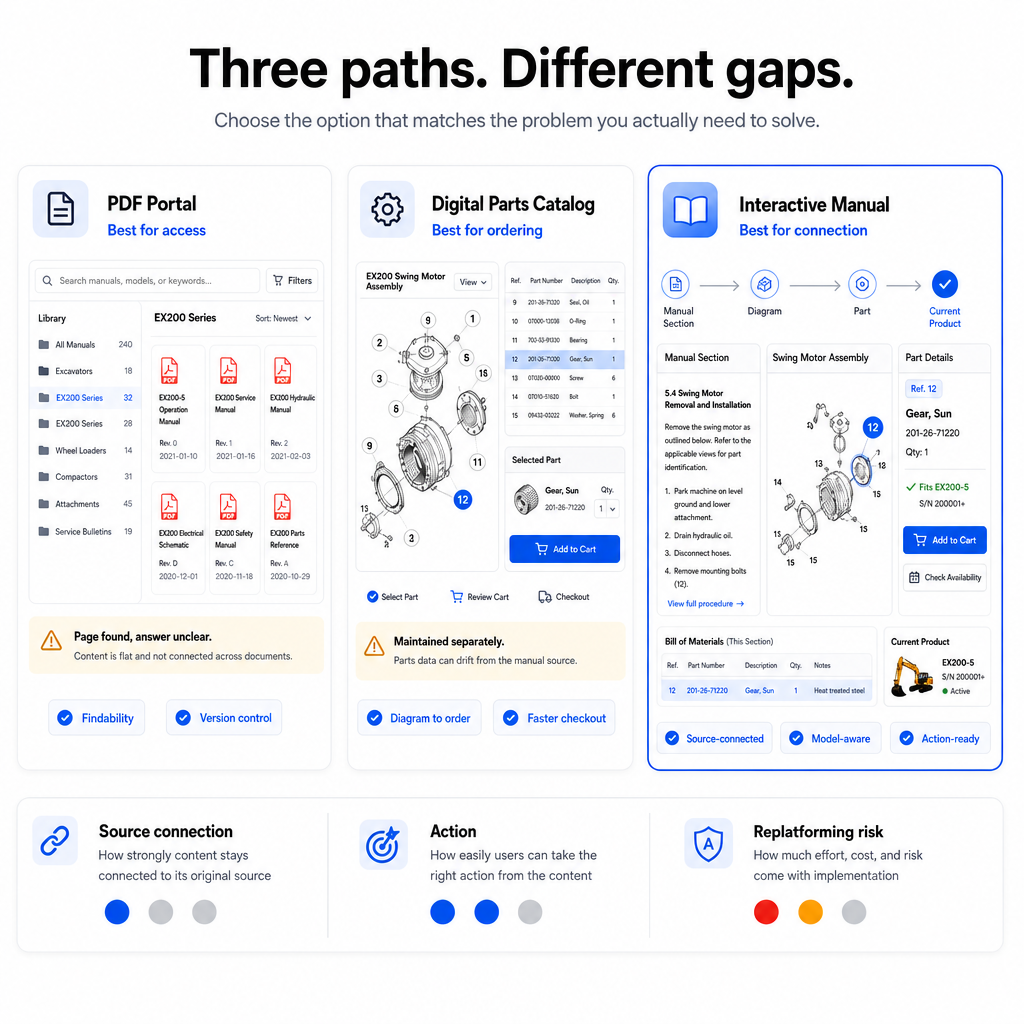
A search bar over the PDF library
A search index can find every place a string or part number appears across a library of manuals — a real improvement over opening files one at a time. But it returns a passage, not a verified answer: a hit on page 34 doesn't say whether that page covers your model or the part is current.
Pointing a general AI tool at the manuals
Modern AI tools can genuinely read a manual — tables, diagrams, footnotes, and all — a meaningfully better capability than search. What that doesn't provide on its own is a maintained relationship between a manual's applicability, its diagrams, callouts, BOM rows, and the current catalog. Interpreting a document in one conversation is different from maintaining that structure so the same answer stays correct for the next person.
AI can help read the documents. Building the trustworthy product knowledge underneath the answer is the harder, ongoing problem.
From documentation to technical product knowledge
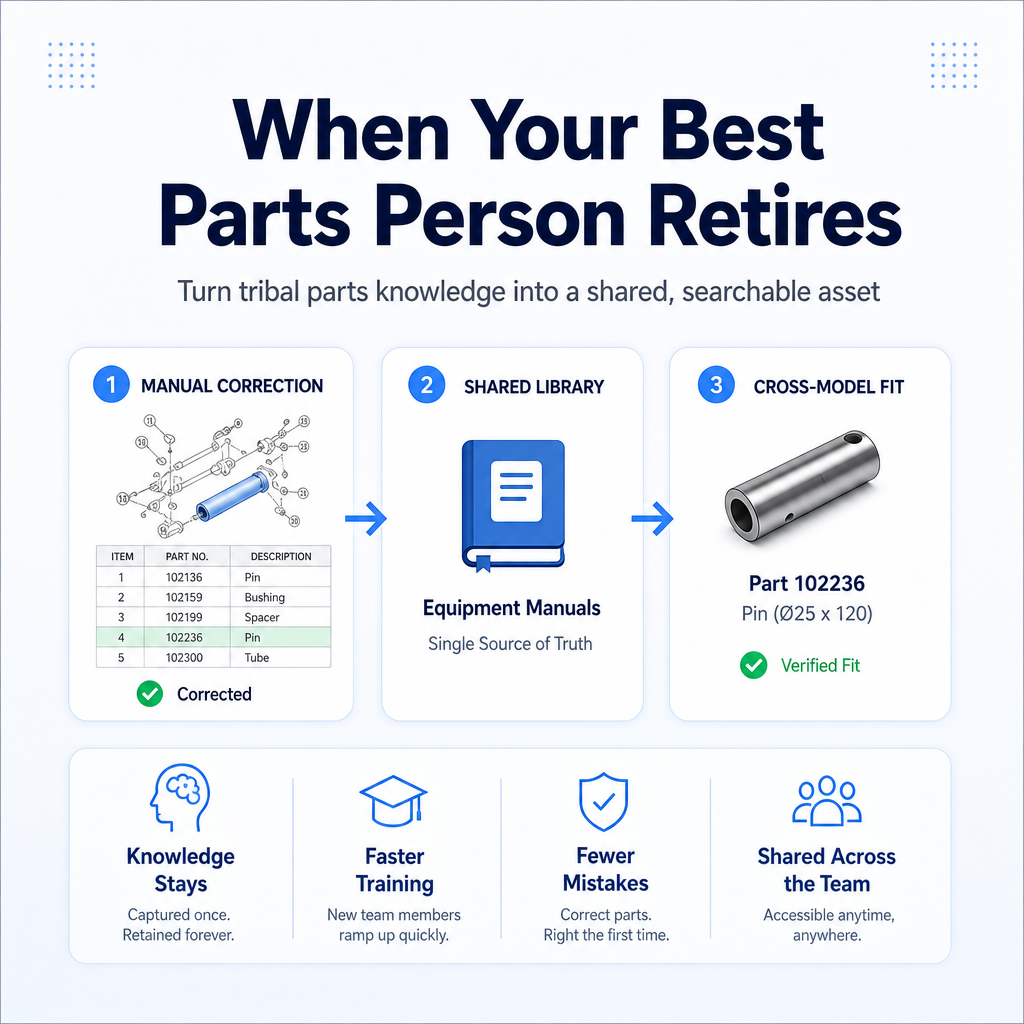
What's missing is a layer connecting the equipment in front of someone to the documentation that applies to it, carried through to a purchasable part: equipment and serial number → the manual that applies → the diagram → the callout → the BOM row → the part → its current product or supersession → the next action. Built once and kept current, that chain turns a library of manuals into technical product knowledge — something a business can maintain and query, not just store.
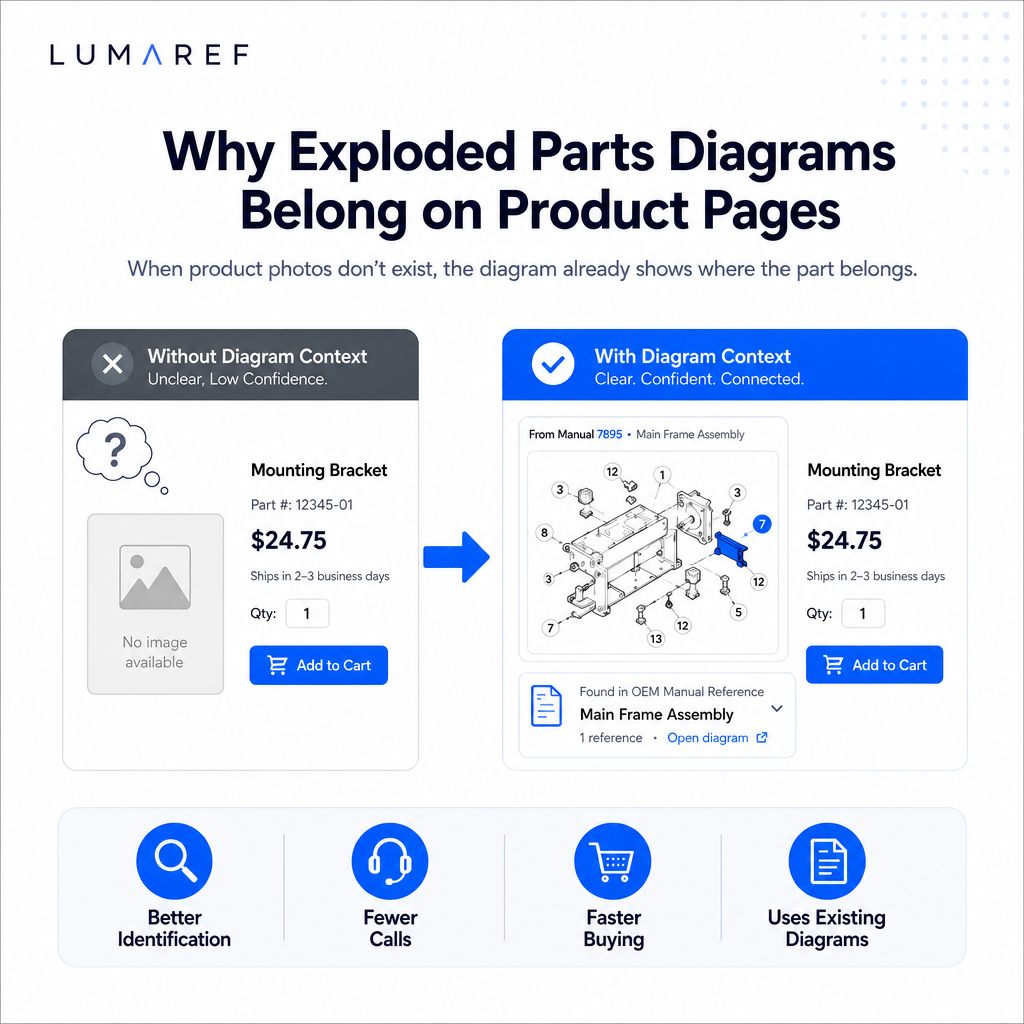
LumaRef builds that layer from the documentation manufacturers already have. It doesn't replace the PDF. It connects the PDF to everything the reader needs around it — the applicable model, the diagram, the BOM row, and the current product they can actually order.
What this looks like at LiftGateMe's scale
LiftGateMe, an OEM aftermarket parts and equipment business serving the liftgate and heavy-equipment market, is where this work started. Its technical content spans over 150 OEM manuals, more than 30,000 individual parts, and over 90,000 bill-of-material relationships connecting those parts back to the diagrams and manuals they came from.
At that scale, the same part can appear in several manuals under different callout numbers, or get superseded without a matching update to every document that references it — more on that here.
Frequently asked questions
Does fixing this mean replacing our PDFs or our ecommerce platform? No. The manuals stay the authoritative source and your storefront stays where customers buy. LumaRef adds the connections between them as a layer on top of both, not a replacement for either.
What happens when a manufacturer supersedes a part or issues a new revision? Because parts, diagrams, and manuals stay connected rather than existing as separate files, a supersession or revision updates the relationship instead of leaving an outdated PDF as the only record anyone can find.
Does this require our manuals to already be consistent or well-organized? No. Every manufacturer formats callouts and part tables differently — that inconsistency is part of the problem this work absorbs, not a prerequisite for starting it.
The bottom line
PDFs aren't obsolete and don't need to be replaced. They remain valuable, authoritative source documentation. The limitation shows up once someone needs to move past reading the document and determine what applies to their equipment, whether it's still current, and what to do next — a connection problem, not a documentation problem, and the one LumaRef is built to close.
See what your manuals could look like connected
Your manuals, diagrams, and parts catalogs already hold the answers your customers and dealers are asking for. Talk to us about what they could look like as a connected parts experience, built from the documentation you already have.